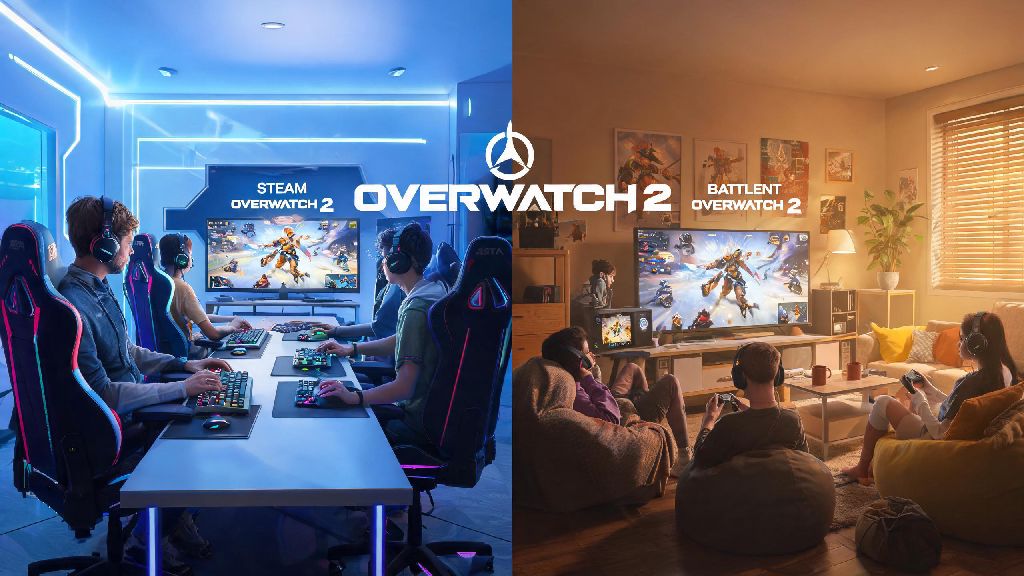
If you’re an Overwatch 2 player in 2026, you’ve probably got friends split across different launchers: plenty of long-time players still stick to Battlenet, while millions of newer players picked up the game when it launched on Steam back in 2023. I’ve been grinding OW2 comp matches since its original launch, and switched my main play account to Steam shortly after it hit the platform, while half my regular weekend group still uses Battlenet for its built-in streaming integration. If you’re here, you’re probably asking can steam and battlenet play together overwatch 2, and I’ve got all the answers you need for 2026, plus workarounds for every common issue I’ve run into over three years of cross-launcher play.
Can Steam and Battlenet Play Together Overwatch 2 in 2026?
The short answer is yes, full crossplay between Steam and Battlenet versions of Overwatch 2 is fully supported and more stable than ever in 2026. Blizzard first rolled out cross-launcher play shortly after the Steam launch, and while there were a few buggy weeks in 2023 where cross-launcher parties wouldn’t connect, those issues were fully patched by mid-2024, and there have been no widespread outages since. Crossplay works across every game mode, including Quick Play, Competitive, Arcade, and custom lobbies, so you don’t have to miss out on any content just because you and your friends use different launchers. I’ve queued for top 500 comp matches with my Battlenet-using roommate every weekend for the past year, and we’ve only run into connection issues a handful of times, all easy to fix.
Step-by-Step to Set Up Cross-Launcher Parties for Overwatch 2 2026
Setting up a cross-launcher party takes less than two minutes once you know the right steps, and you don’t have to jump through any hoops to make it work. You don’t need to own Overwatch 2 on both launchers to play with friends on the other platform, a common myth I still see floating around gaming forums in 2026. The only thing you need to make sure of first is that your Steam account is linked to your main Blizzard account, which you can do through the Blizzard account settings page if you didn’t do it when you first launched the game on Steam. Once your accounts are linked, follow these simple steps to invite friends:
Make sure both players have crossplay enabled in their settings before you try to invite each other, as some players turn it off by default to avoid playing against console players. You can check this setting by navigating to Settings > Gameplay > Cross-Platform Play, and toggling it to On if it’s disabled. If you’re a new Steam player who made their account after the 2025 smurf protection update, you’ll also need to complete the new player onboarding challenges before you can join cross-launcher competitive matches, which takes roughly 5 hours of Quick Play time to finish. I made the mistake of trying to queue for comp with a new friend last month, and we spent 20 minutes troubleshooting before we remembered this rule existed.
Common Cross-Launcher Overwatch 2 Issues (and 2026 Fixes)
While cross-launcher play is very stable in 2026, there are still a few rare issues you might run into, most of which I’ve dealt with personally. The most common issue I hear about is not being able to see a friend’s online status even when you know they’re logged in and playing. Restart your game client and make sure both of you have installed the latest 2026 patch, because mismatched patch versions will block cross-launcher visibility almost every time. Blizzard pushes small patches every two weeks in 2026, so it’s easy to miss one if you don’t have auto-update enabled.
Another common issue is getting a “client mismatch” error when you try to join a friend’s group, even if you’re both on the same patch. The easiest fix for this is to unlink and relink your Steam and Battlenet accounts from your Blizzard account settings page, which resets the connection between the two platforms and fixes 90% of group join errors. If you’re noticing higher ping than usual when playing with cross-launcher friends, double check that you both have the same preferred server region selected in your settings. The 2026 server update automatically picks the best shared region for your group, but it can glitch if one of you has a strict preferred region enabled. You should also note that cross-launcher parties are still subject to the same rank restrictions as same-launcher groups: you can’t queue for competitive if you’re more than 2 skill tiers apart from your friend, to keep matches fair for everyone.
Cross-Progression Between Steam and Battlenet for Overwatch 2 2026
One of the biggest perks of cross-launcher play in 2026 is that full cross-progression is supported across Steam and Battlenet, as long as both are linked to the same main Blizzard account. All your cosmetic unlocks, battle pass progress, competitive rank, and in-game currency will carry over across both platforms, no extra steps needed once your accounts are linked. I split my playtime between Steam (for better controller support on my living room PC) and Battlenet (for smoother streaming when I play at my desk) and I never have to worry about losing access to my 300+ skin collection when I switch launchers.
The only exception to cross-progression is platform-exclusive skins, like the 2023 Steam-exclusive Tracer cyberpunk skin, which will only show up in your cosmetic menu when you’re logged in via Steam, but you can still use it in matches with Battlenet friends with no issues. If you buy battle pass tiers or in-game currency on one launcher, it will show up on the other within 10 minutes, per the 2025 cross-purchase update Blizzard rolled out last year. One important warning: don’t link multiple Blizzard accounts to the same Steam account, as this can trigger a temporary 72-hour ban for suspected account sharing, a rule Blizzard enforced starting in 2024 to cut down on smurfing.
So if you were wondering can steam and battlenet play together overwatch 2, the short answer is a resounding yes, and the feature is more polished and stable than ever in 2026. The setup process takes less than two minutes, most common issues have simple fixes, and you get full cross-progression across both platforms, so you don’t have to pick one launcher and stick to it forever. I’ve used cross-launcher play for hundreds of matches over the past three years, and it’s made it so much easier to keep playing with my friend group as we switch between launchers for different features. If you run into any issues we didn’t cover here, drop a comment below, and we’ll update this guide with new 2026 fixes as we test them out ourselves.