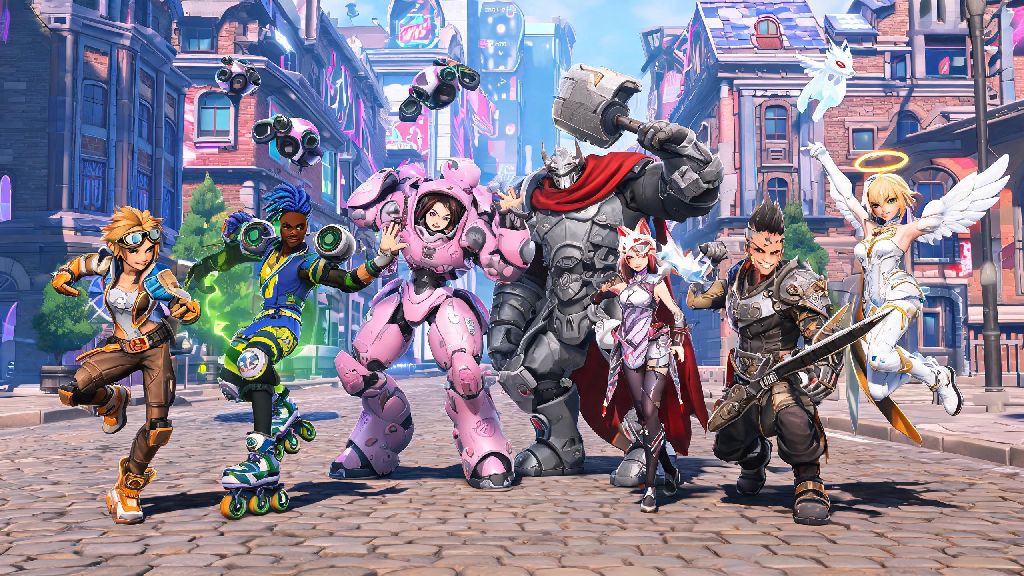
If you’re one of the 12 million new players who joined Overwatch 2 after the 2026 cross-progression rollout, you’ve probably seen teammates pulling out silly dances, celebratory waves, and cheeky taunts mid-match, and are wondering how to emote in Overwatch 2 yourself. Emotes are one of the most fun ways to personalize your gameplay, connect with teammates, and even lighten the mood after a tough team fight loss. I’ve been grinding Overwatch 2 since its launch, and I’ve seen emote culture shift a lot over the years — from mostly toxic BM to a lot more friendly, silly interactions in both casual and competitive lobbies. This guide will walk you through everything you need to know to use, unlock, and get the most out of emotes this year.
How to Emote in Overwatch 2: Basic Controls for All Platforms in 2026
The basic process of using an emote is the same across all platforms, but the default controls differ depending on what you’re playing on. Blizzard updated default control schemes in the 2026 Q1 patch to make communication tools like emotes easier to access for new players, so if you’re returning after a break, your old binds might have changed. Below are the default controls for every supported platform as of 2026:
You can also set up quick-emote binds if you have a favorite emote you use all the time. For example, I have my side mouse button bound to Tracer’s signature dance emote, so I don’t have to fumble with the wheel right after a big team wipe. Just head to your controls menu, look for the “quick emote” option, and assign it to whatever button feels most comfortable for you.
How to Unlock and Equip New Emotes for Your 2026 Overwatch 2 Roster
Default emotes are available for every hero right when you start playing, but there are hundreds of unique, rare, and limited-edition emotes you can unlock for individual heroes. Each hero has their own exclusive set of emotes, so you can’t use a Reinhardt emote on Mercy, for example — that’s one of the most common mistakes new players make when they first start browsing their collection.
Most new emotes are added through the battle pass each season, with a mix of free track emotes for all players and premium track emotes for players who purchase the paid pass. You can find the full list of free and premium emote rewards on the 2026 Overwatch 2 battle pass reward track page, updated monthly with any last-minute additions. Other emotes are available through event challenges, like the 2026 Summer Games surf emotes for Tracer and Lucio, or the Halloween Terror haunted house emotes for Reaper and Widowmaker.
Once you unlock an emote, you’ll need to equip it to your hero’s emote wheel to use it in matches. Head to the “Hero Gallery” from the main menu, select the hero you want to customize, and click on the “emotes” tab. You can equip up to 8 emotes per hero on your wheel, so you can mix and match silly, celebratory, and casual emotes for different situations. Always check the weekly shop rotation for legacy emotes you might have missed from past seasons — Blizzard brings back fan favorite emotes every few weeks for in-game coins, so you don’t have to miss out just because you started playing later.
Best Practices for Using Emotes in Matches in 2026
Emotes are a ton of fun, but using them at the wrong time can annoy your teammates or even come off as toxic to opponents. I’ve seen way too many players throw matches because they were too busy spamming an emote instead of paying attention to the team fight, so it’s important to follow a few unwritten rules to get the most out of emotes without causing problems.
Avoid spamming emotes during active team fights, as it can distract you from incoming damage. It’s fine to pull out a quick celebratory emote after you get a big pick or win a team fight, but if you’re still in the middle of pushing the payload or defending a point, save the emotes for after the objective is secured. If you’re playing competitive, be extra careful with taunt-style emotes like the Junkrat laugh or Tracer dance after you kill an opponent — a lot of players see this as BM, and it can make you a target for the enemy team for the rest of the match.
That said, emotes can also make lobbies a lot more friendly and fun. Using a friendly emote like a wave after a match ends can encourage positive team morale, even if you lost. I always wave at my teammates at the start of every quick play match, and I’ve noticed that lobbies are way more likely to communicate and work together when someone breaks the ice with a silly emote first. If you find opponent emotes distracting or toxic, you can turn off all enemy emotes in the audio/visual settings menu so you only see emotes from your own team.
How to Fix Common Emote Issues in 2026 Overwatch 2
Even with the 2026 quality of life updates, a lot of players run into small issues with emotes not working, disappearing from their collection, or the emote wheel not opening. Most of these issues are super easy to fix without contacting support, so you don’t have to miss out on using your favorite emotes for long.
The most common issue people report is the emote wheel not opening when they press their bind. If this happens to you, first check your control settings to make sure the emote wheel bind didn’t get reset during a patch — Blizzard has rolled out a few control updates in 2026 that have reset some custom binds for existing players. If your bind is correct and the wheel still won’t open, try restarting your game to fix any temporary UI glitches.
If an emote you just unlocked is missing from your collection, it’s almost always a cross-progression sync issue. If you're facing persistent emote sync issues, unlink and relink your Battle.net account to fix cross-progression glitches between your console and PC accounts. If you can’t use an emote mid-match, you’re probably in a situation where emotes are disabled — you can’t use emotes while you’re stunned, hacked, dead, or during the final 10 seconds of a competitive match to prevent BM. Blizzard’s 2026 anti-toxicity update automatically blocks spam emotes if you send more than 3 in 10 seconds, so you don't get banned for accidental spamming if you accidentally press your emote bind too many times.
At the end of the day, learning how to emote in Overwatch 2 is one of the easiest ways to add your own personal flair to every match, no matter what skill level you’re playing at in 2026. You don’t have to spend money on premium emotes to have fun either — the default wave and laugh emotes work just as well for connecting with teammates and celebrating wins. Next time you load into a match, try waving at your team at spawn, you might be surprised at how much friendlier your lobby feels.