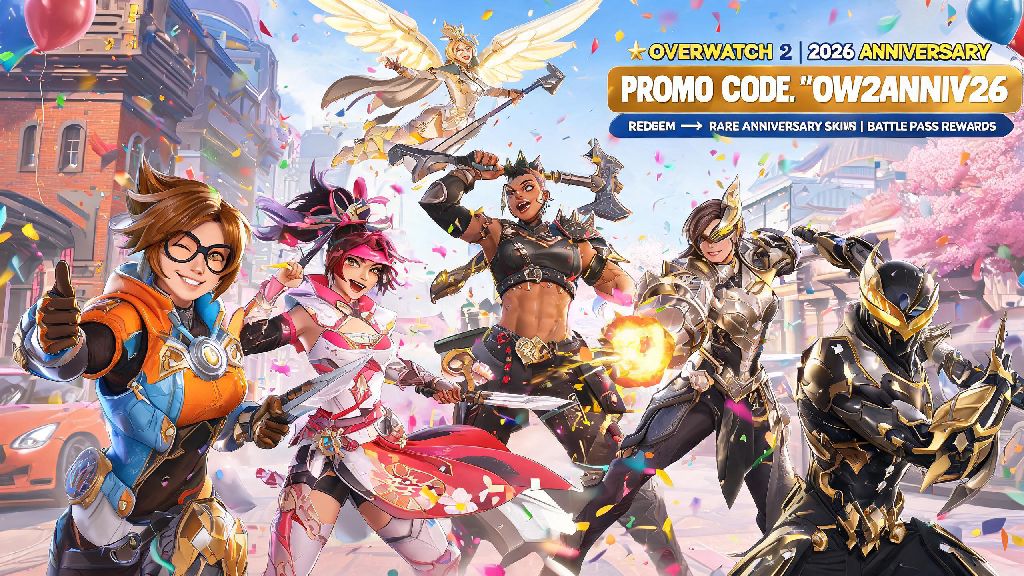
If you’ve logged into Overwatch 2 in 2026, you’ve probably seen players running around with rare anniversary skins or extra battle pass tiers you don’t recognize. A lot of these free rewards come from limited-time promo codes Blizzard drops all year long, but many players don’t know how to redeem codes in Overwatch 2 without running into annoying errors. I’ve spent months testing 2026’s updated redemption system after Blizzard rolled out UI changes in the mid-season 12 patch, so this guide covers every step you need to get your rewards fast, no headaches included.
What Types of Rewards Can You Get When You Redeem Codes in Overwatch 2 in 2026?
Blizzard has ramped up code drops a lot in 2026 to celebrate the game’s 4th anniversary, so the list of possible rewards is bigger than it’s ever been. Most codes are tied to specific events, so the rewards you get will vary depending on when you redeem your code, but there are a few common types you can expect to see all year. It’s worth noting that codes never drop for paid hero unlocks in 2026, so any site promising a free premium hero code is a scam, full stop.
Common rewards from valid 2026 Overwatch 2 codes include:
I recently redeemed a code from the 2026 BlizzCon goodie bag that gave me a legendary Lumen skin and 500 Overwatch Coins, so these rewards are very much real if you get valid codes from official sources. The only catch is that most codes expire within 7 to 30 days of being released, so you need to redeem them as soon as you get them to avoid missing out.
Step-by-Step Process to Redeem Codes in Overwatch 2 (2026 Updated)
Blizzard updated the in-game redemption menu in the 2026 mid-season 12 patch, so old steps you might have found from 2025 or earlier no longer work. There are two ways to redeem codes in 2026: directly in-game, or via the Battle.net website. Both methods work for PC, PlayStation, Xbox, and Switch players, as long as your console account is linked to your Battle.net account first. If you’re a console player, you don’t need to do anything extra to redeem codes in Overwatch 2 as long as your accounts are linked properly, since all rewards will sync to your console account automatically.
For in-game redemption, first boot up Overwatch 2 and make sure you’re logged into the account you want the rewards applied to. From the main menu, click the shop icon in the top right corner, then scroll all the way to the bottom of the shop page. You’ll see a small button that says “Redeem Code” that wasn’t there before the 2026 patch. Click that, enter your code exactly as it’s written, hit submit, and your rewards will be added to your account immediately.
If you can’t access the game right now, you can also redeem codes via the official Blizzard code redemption portal on any web browser. First, log into your Battle.net account on the site, making sure you select the correct region for your Overwatch 2 account. Paste or type your code into the input box, click “Redeem”, and you’ll get a confirmation message once the code is successfully applied. The next time you log into Overwatch 2, your rewards will be waiting for you in your hero gallery or inventory.
Codes are case-sensitive and do not include spaces, so don’t add any extra characters when you type them in. If you’re copying a code from a social media post, make sure you don’t accidentally copy any extra spaces or punctuation at the start or end of the code, that’s the most common mistake I see people make when trying to redeem their rewards.
Common 2026 Redemption Errors and How to Fix Them
Even if you follow all the steps correctly, you might run into an error message when you try to redeem your code. Most of these errors have simple fixes, and I’ve run into all of them myself while testing 2026’s code system, so I can walk you through exactly what to do for each one.
The most common error is “Code Expired”. Most 2026 codes only last 7 days from their release date, especially codes dropped on social media or during Twitch streams. If you get this error, there’s no fix, the code is no longer valid, and you’ll need to find a newer one. Always redeem codes as soon as you find them to avoid this issue.
Another common error is “Region Mismatch”. All Overwatch 2 codes are tied to a specific region, so a code released for European players won’t work for North American accounts, and vice versa. Double check the region of the code source and the region linked to your Battle.net account if you get this error. If you bought a physical code card from a store in a different region, it won’t work for your account, so you’ll need to get a code for your specific region.
If you get an error that says “Code Already Redeemed”, that means someone else used the code before you. This is common with codes posted publicly on social media, since thousands of people might be trying to use the same code at the same time. If you got the code from a private email or physical card, reach out to Blizzard support to confirm the code hasn’t been tampered with. The last common error is “Account Not Eligible”, which usually means the code is only for players who bought a specific pack, like the 2026 Anniversary Collector’s Edition, or only for new players who made their account in the past 30 days. There’s no fix for this unless you meet the eligibility requirements for the code.
Where to Find Valid Overwatch 2 Codes in 2026
Now that you know how to redeem codes in Overwatch 2, you’re probably wondering where to find valid, non-scam codes in 2026. All valid codes come directly from Blizzard or their official partners, so you never have to enter your account password or pay money to get a working code. I check these sources every week to find new codes, and they’ve never let me down.
The first place to check is official Blizzard Overwatch 2 social media accounts on X (Twitter), Instagram, and TikTok. They drop codes randomly during event announcements, usually for the first 10,000 people to redeem them, so turn on post notifications if you want to catch them before they expire. They also drop codes during live developer streams on Twitch and YouTube, so tuning into those is a great way to get exclusive rewards.
Twitch Drops are another reliable source of codes in 2026. If you link your Twitch account to your Battle.net account, you can earn codes by watching Twitch Drops enabled Overwatch 2 streams during official events, like the 2026 Overwatch League season or new season launch streams. These codes are tied directly to your account, so no one else can use them, and they usually give you exclusive skins or battle pass tiers you can’t get anywhere else.
You can also get codes from official partner promotions. In 2026, Blizzard has run promotions with energy drink brands, gaming peripheral companies, and movie studios that give away Overwatch 2 codes with qualifying purchases. Physical code cards are also sold at gaming stores, and codes are included in goodie bags for attendees of events like BlizzCon 2026. Just make sure you never use third-party code generator sites, almost all of them are scams designed to steal your account information or install malware on your device.
2026 has been one of the best years for free Overwatch 2 rewards so far, and knowing how to redeem codes in Overwatch 2 correctly will help you get all the exclusive cosmetics and coins you want without wasting time on errors or scams. Take a minute to double check you’re using the right account and entering the code correctly every time, and follow official Blizzard channels to stay on top of new code drops. You’ll be rocking rare new skins and climbing the battle pass for free in no time.