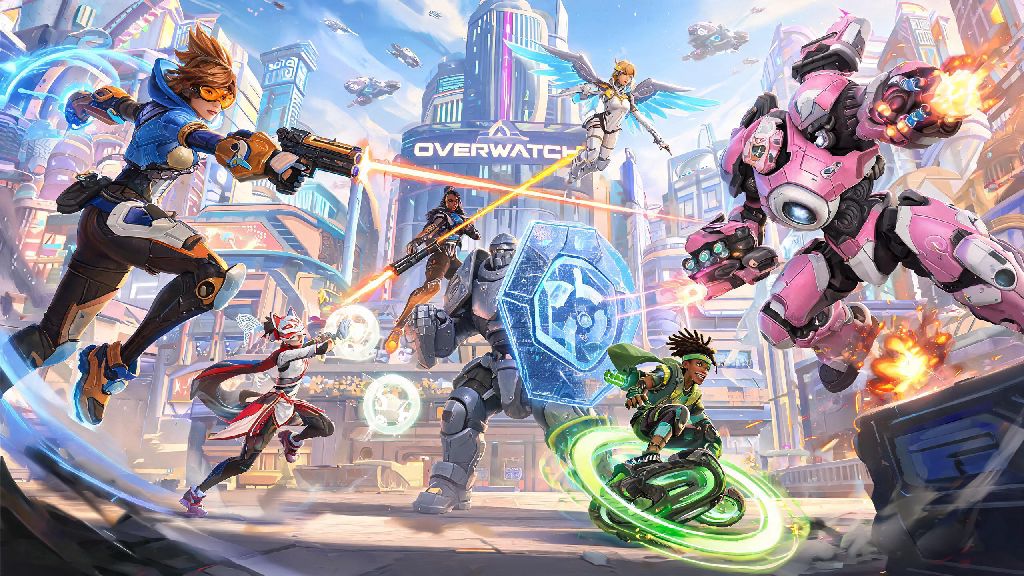
If you’re a new player considering downloading Overwatch 2, or a parent checking if the game is appropriate for your kid, one of the first questions you’re probably asking is what is Overwatch 2 rated. The hero shooter has a massive global player base, with casual and competitive modes that draw people of all ages, but its content isn’t suited for every age group. We’ll break down official ratings from top boards, what content led to those scores, and adjustments you can make to tailor gameplay to your comfort level.
Official Overwatch 2 Ratings From Global Rating Boards
Every major region has an independent content rating board that assesses video games for age suitability, and Overwatch 2 has been reviewed by all the largest governing bodies. These ratings are based on the base game content you’ll encounter in official matches, hero cinematics, and in-game events. You can find the full rating breakdown on the official Overwatch 2 website, but we’ve pulled the most important details for common regions below.
It’s important to note that these ratings only apply to content created by Blizzard Entertainment, the developer of Overwatch 2. Any user-generated content, including voice chat messages, text chat comments, and custom game content created by other players, is not covered by these official ratings. That’s why many parental guides recommend adding extra safety layers even if your child meets the minimum age requirement for the game.
What Content Determines What Overwatch 2 Is Rated?
If you’re wondering why Overwatch 2 got its respective ratings, there are a few core content elements that all rating boards cited in their reviews. The first is fantasy violence: while the game is a shooter, there is no gore, blood, or graphic injury content shown when characters take damage or are eliminated. Most eliminations show characters fading away or falling to the ground before disappearing, with no graphic details.
Another key factor is references to alcohol in some character backstories and in-game cosmetics. For example, the hero Cassidy has cosmetic items that reference drinking, and some in-game voice lines make passing references to alcohol. There is no depiction of excessive drinking or substance abuse, but these references were enough to push the ESRB rating up from E10+ to T for Teen.
Mild language also appears in some official voice lines and cinematics, though there is no heavy profanity in base game content. The final factor all boards note is the presence of in-game purchases, including cosmetic skins, battle passes, and premium currency that can be bought with real money. These purchases are not required to play the game, but they are clearly visible in the in-game shop, which is why they are noted in rating descriptors.
How to Adjust Overwatch 2 Settings for Age-Appropriate Gameplay
Even if your kid meets the minimum age requirement for Overwatch 2, you can adjust a range of in-game settings to make the experience more appropriate for their age and comfort level. The first setting you should adjust is voice and text chat filters, which let you turn off all incoming voice chat, block profanity in text chat, and even disable chat entirely for younger players. You can also turn off cross-play if you only want your kid to be matched with players on their same platform, which often has more robust moderation tools.
If you’re looking for lighter, low-stakes games to fill time between Overwatch 2 matches, or want an option that’s clearly marked for adult casual play only, you can look for dedicated casual game platforms. Many players who stick to casual Overwatch 2 lobbies also enjoy quick, round-based casual games like Rummy77 when they want to step away from hero shooter mechanics for 10 or 15 minutes.
Other useful settings include in-game purchase locks, which let you require a PIN to make any purchases in the in-game shop, so you don’t have to worry about accidental purchases of battle passes or cosmetic items. You can also enable custom game mode restrictions to block access to user-created custom games that may include content not covered by the official rating. For extra safety, you can link your child’s account to your Blizzard parent account to monitor their play time and match history whenever you want.
Common Misconceptions About Overwatch 2’s Rating
There are a lot of false claims floating around online about Overwatch 2’s rating, so we’re breaking down the most common ones to set the record straight. I’ve seen a lot of parents in Overwatch 2 community groups ask about this, so it’s a common point of confusion. The first big misconception is that Overwatch 2 is rated M for Mature globally. That’s only true in Australia, where the ACB has stricter rules around depictions of alcohol in media targeted at younger audiences. Every other major region rates the game T for Teen or 12, so it’s accessible to most teen players.
Another common myth is that the rating covers all content you can encounter in the game. As we mentioned earlier, the official rating only covers content created by Blizzard, not user-generated content. That means you may encounter heavy profanity, toxic comments, or inappropriate custom game content even if the base game is rated for teens. You should always enable moderation tools if you’re worried about encountering unregulated content from other players.
The last big misconception is that you can’t play the game if you’re younger than the rated age. The rating is a recommendation, not a hard legal restriction in most regions. But we recommend sticking to the age guidelines, as the content is designed to be appropriate for players in that age group. If you’re a parent of a younger kid who wants to play, you can test the game yourself first, adjust all the safety settings, and consider only letting them play in private lobbies with friends you trust. The player reporting tools built into the game also make it easy to report any toxic or inappropriate behavior you encounter from other players, which helps keep the community safer for everyone.
At the end of the day, knowing what is Overwatch 2 rated helps you make an informed decision about whether the game is right for you or your family. The official ratings are a great starting point, but don’t forget to adjust in-game settings to fit your personal comfort level, and always be aware that user-generated content can fall outside the official rating guidelines. Whether you’re playing casually with friends or climbing the competitive ranks, Overwatch 2 can be a fun, accessible experience as long as you take the right safety precautions for your situation.