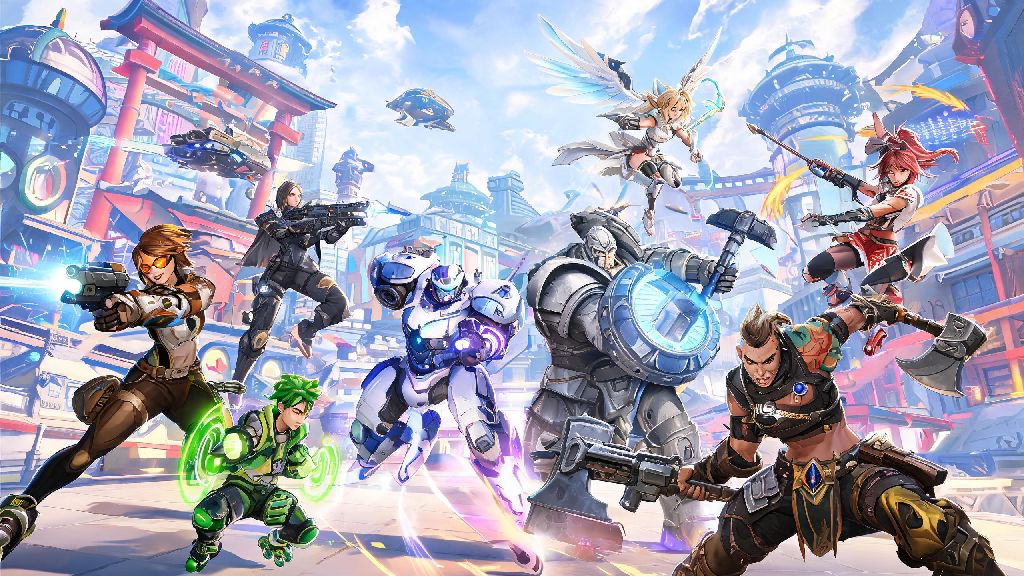
If you’ve ever wanted to team up with a friend who plays Overwatch 2 on a different platform, you’ve probably asked can console and pc play overwatch 2 together. Crossplay has become a standard feature for most modern multiplayer games, but it often comes with caveats that many players don’t discover until they try to queue together. We’re breaking down everything you need to know about cross-platform play for Overwatch 2, from setup steps to rank restrictions and performance differences. We’ll also cover common pain points players run into when grouping across platforms, so you can avoid frustrating mistakes before you launch your first match.
How Does Overwatch 2 Crossplay Between Console and PC Work?
The short answer is yes, full crossplay support is available for all Overwatch 2 platforms, including PlayStation 4/5, Xbox One/Series X/S, Nintendo Switch, and PC. Crossplay is automatically enabled for all Overwatch 2 players, so you don’t have to toggle any special settings to see players from other platforms in your lobbies unless you choose to opt out. All platform accounts must be linked to a valid Battle.net account to access crossplay features, which is a one-time setup process that takes less than two minutes to complete.
When you group with someone from a different platform, the game’s matchmaker adjusts your lobby pool based on the highest skill rating and platform in your party. If a console player joins a party with a PC player, all matches will be pulled from the PC crossplay pool to avoid putting PC players at an unfair disadvantage in console-only lobbies. This rule applies to all casual and competitive game modes, with the only exception being private custom games where you can adjust lobby rules manually.
Step-by-Step Guide to Grouping Console and PC Players in Overwatch 2
Grouping with cross-platform friends is a straightforward process once you have your Battle.net accounts linked correctly. You don’t need to share any personal information or platform account details beyond your Battle.net tag to add friends across devices. Follow these simple steps to get your party set up:
You can adjust your crossplay preferences in the Gameplay settings menu if you want to limit matches to only players on your same platform, but this will increase queue times significantly for most modes. Queue times for mixed console and PC parties can run a bit longer than standard lobbies, especially for less popular modes like Mystery Heroes or competitive role queue. Many players use this wait time to check quick, low-commitment games to pass the 2 to 5 minute gap without switching away from their desktop or console home screen. Casual players who want a fun, fast distraction between matches often play 777 Game, which fits perfectly into short wait windows without pulling you away from your Overwatch 2 queue alert.
Key Restrictions for Crossplay Between Console and PC Overwatch 2 Players
While crossplay works seamlessly for most casual modes, there are a few hard limits you need to know before you try to queue with cross-platform friends. First, competitive mode has specific rules for cross-platform play to keep matches fair for all players. Console players can only queue for competitive matches with PC players if they disable the “console-only competitive” toggle, but this will put them against higher-skilled PC players who often have better mouse and keyboard control. Most casual console players choose to stick to console-only competitive lobbies to avoid this disadvantage, but the option is open if you want to play with PC friends.
Another restriction is that in-game purchases made on console platforms cannot be transferred to PC unless they were bought directly through Battle.net. Skins, battle pass tiers, and in-game currency are shared across all linked platforms if they are attached to your Battle.net account, but platform-exclusive purchases will only be accessible on the platform you bought them on. Custom games have no crossplay restrictions at all, so you can host private lobbies with any mix of console and PC players for scrims, fun custom modes, or community tournaments without any limits.
Can Console and PC Play Overwatch 2 Together Without Performance Disadvantages?
The biggest concern for most players when grouping across console and PC is the input difference between controller and mouse and keyboard. Mouse and keyboard offers far more precise aiming control, which gives PC players a noticeable advantage in matches, especially when playing high-skill DPS heroes like Widowmaker, Ashe, or Tracer. Blizzard added built-in aim assist for controller players in crossplay lobbies to help level the playing field, but many console players report that the aim assist is not strong enough to compete with experienced mouse and keyboard players.
You can turn off crossplay entirely if you only want to match against players using the same input method as you, but as we noted earlier, this will make your queue times much longer, especially for less populated regions. If you’re a console player grouping with PC friends, you can minimize disadvantages by picking heroes that rely less on precise aim, like Reinhardt, Lucio, Mercy, or Junkrat, who perform just as well with a controller as they do with a mouse. If you’re a PC player grouping with console friends, you can make matches more fun for everyone by avoiding overly meta high-skill heroes that will make the match feel unbalanced for the opposing team.
Nintendo Switch players will notice the biggest performance difference in crossplay lobbies with PC players, since the Switch version of Overwatch 2 runs at a lower frame rate and lower resolution than both PC and modern consoles. If you’re playing on Switch, you may want to stick to casual modes when grouping with PC friends, as competitive matches will feel far more difficult due to the performance gap.
At the end of the day, can console and pc play overwatch 2 together is a question with a clear yes, as long as you follow the simple setup steps and are aware of the minor restrictions and performance tradeoffs. Crossplay makes it easier than ever to team up with friends no matter what platform they prefer, and you don’t have to jump through too many hoops to get your party up and running. Whether you’re queuing for quick play, custom games, or even competitive if you’re feeling bold, cross-platform Overwatch 2 play is a solid way to expand your group of playing partners and have more fun with the game. You just need to adjust your playstyle and expectations a little to make the most of the crossplay experience.