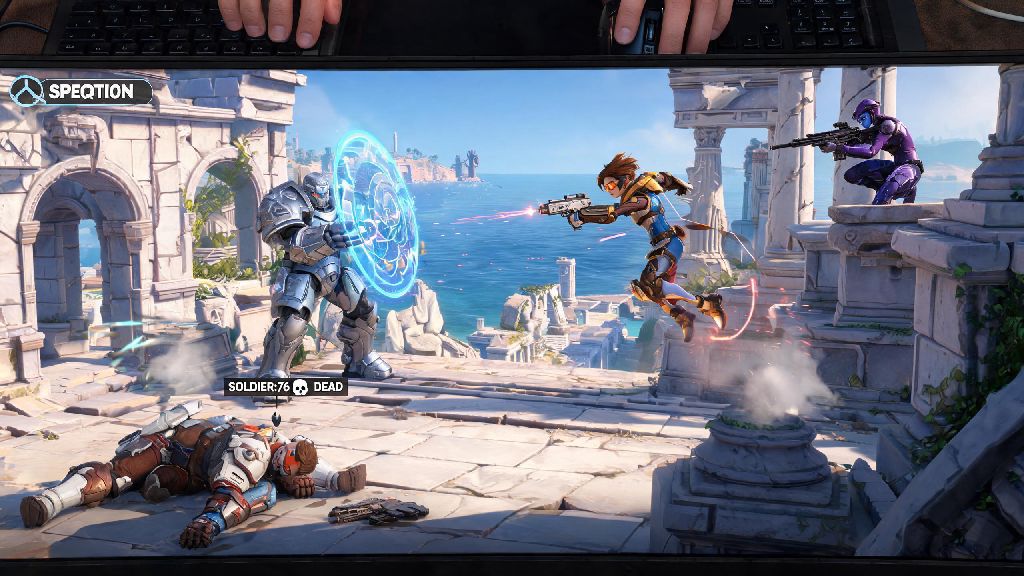
We’ve all been there: you push up a little too far on attack in Ilios, get one-shot by a Widowmaker you never saw coming, and suddenly you’re stuck watching your Reinhardt slowly walk back to point while your Tracer is popping off on the enemy backline out of frame. You tap every button on your controller or keyboard trying to swap views, but nothing works, and you miss the entire 3k play that won the team fight. It’s frustrating, and it’s an easy problem to fix. Knowing how to switch who you’re spectating in Overwatch 2 is a tiny quality of life skill that makes a huge difference to how much you enjoy the game, even when you’re waiting to respawn. It also lets you learn from better players on your team, call out flanks your alive teammates might miss, and make the most of the 10 to 15 seconds you spend dead between rounds.
How to Switch Who You’re Spectating in Overwatch 2 by Platform
The exact controls for swapping spectator views change depending on what device you’re playing on, and all defaults can be remapped in your game settings if you don’t like the standard layout. PC (Keyboard & Mouse) players have the most flexible options by default: tap the space bar to cycle forward through your alive teammates, tap left control to cycle backward, or click directly on any of the player portraits on the left side of your screen to jump straight to their view. You can also enable a setting to use the number keys 1 through 5 to jump directly to specific teammates, which is far faster than cycling if you know exactly who you want to watch.
For console players, the defaults are simple and consistent across most layouts. Xbox users tap the X button to cycle through teammates, PlayStation users tap Square, and Nintendo Switch users tap the Y button. If you hold down the same cycle button for two seconds, you’ll lock to that player’s view until you tap the button again to unlock. If you use a custom controller layout, double check the Spectator tab in your Controls menu to make sure you haven’t accidentally mapped the cycle function to the same input as your reload or ability button, which can cause conflicts when you switch between playing and spectating.
If you’re in a replay or custom observer mode, the controls are slightly different. PC users use the left and right arrow keys to cycle between players, and console users use the d-pad instead of the standard face buttons. You can also pull up a full player list in replay mode to jump directly to any player, both ally and enemy, if you’re reviewing your own matches to spot mistakes.
Common Spectating Issues and Quick Fixes
Even if you know the right controls, you might run into situations where you can’t swap spectator views for one reason or another, and most of these issues have simple fixes. You can only spectate members of your own team in standard quick play, competitive, and arcade modes, unless a custom lobby admin has enabled enemy spectating. If you’re trying to swap to an enemy player to see how they’re picking your team off, that feature is locked by default to prevent ghosting, so don’t waste time clicking on enemy portraits in standard matches.
Another common issue is being unable to cycle to a specific teammate. If their portrait is grayed out on the left side of your screen, that means they’re already dead, and the game won’t let you spectate them until they respawn. If their portrait is lit up but you still can’t swap to their view, make sure you’re not holding down the ping wheel or chat button, both of which temporarily block spectator inputs to prevent accidental view swaps when you’re communicating with your team.
If your spectator controls are completely unresponsive, the first fix to try is a quick game restart. Small bugs after patches or server lag can occasionally break spectator inputs, and restarting the game almost always resolves the issue in under a minute. If the problem persists after a restart, check your control settings to make sure the spectator cycle functions are actually mapped to a button, as rare account glitches can erase custom or even default control mappings after big updates.
Pro Tips to Get the Most Out of Spectating
Spectating isn’t just a way to pass the time while you wait to respawn – it’s one of the most underrated tools for improving your own gameplay, especially if you’re trying to climb the competitive ranks. Most players waste their dead time scrolling on their phone, but you can pick up more useful tricks in 10 seconds of watching a high-rank teammate play than you can in 30 minutes of grinding matches on your own. These tips will help you make the most of every second you spend in spectator mode:
If you play in a 5-stack, you can even use spectating as a strategic tool. Assign the first person who dies to be your team’s dedicated caller, since they’ll have a full view of the map and can track enemy ultimate usage and flanks that alive players are too busy to notice. Just make sure you stick to short, critical calls instead of rambling, so you don’t distract your teammates while they’re fighting. I’ve won dozens of close competitive matches using this trick, even when we were down a player for a few seconds.
Spectating Rules for Competitive and Tournament Lobbies
If you play a lot of ranked competitive or community tournaments, there are a few extra rules and limitations for spectating that you need to know to avoid getting banned or penalized. First, you can’t spectate enemy players in ranked matches at all, even if all your teammates are dead and you’re waiting for the round to end. This rule is in place to prevent ghosting, which is when eliminated players share enemy positions or ultimate usage with their alive teammates to give them an unfair advantage.
Ranked matches also have a built-in 2-second spectator delay, so don’t panic if the action you’re seeing is a little behind what your teammates are referencing in voice chat. That delay is intentional to stop ghosting, and you can’t turn it off in standard ranked lobbies. Overwatch 2’s built-in spectator delay is 10 seconds for official tournament lobbies, to make ghosting completely impossible even if players are communicating on external voice chat platforms.
If you’re playing in a third-party community tournament, make sure you read the lobby rules before you start spectating. Many tournaments disable spectator chat entirely, and some will even kick you from the lobby if you’re caught sharing info from spectator view with your team. Violating ghosting rules can lead to temporary competitive bans or permanent bans from specific tournament circuits, so it’s not worth risking your account to win a single casual tournament match.
Next time you get picked off early in a team fight, don’t just scroll through your phone while you wait to respawn. Take a minute to mess around with the controls and get comfortable with how to switch who you’re spectating in Overwatch 2, and you’ll pick up small tricks to improve your own play faster than you would grinding matches alone. I used to waste all my dead time scrolling social media, until I realized I was getting matched with GM and Top 500 players every other game, and I could learn from them for free just by watching their perspective. It took me less than 10 minutes to adjust my controls and practice the cycle buttons, and it’s made every match way more engaging, even when I’m having a bad game and dying a lot. Give it a try next time you’re waiting to respawn – you might be surprised how much you learn.