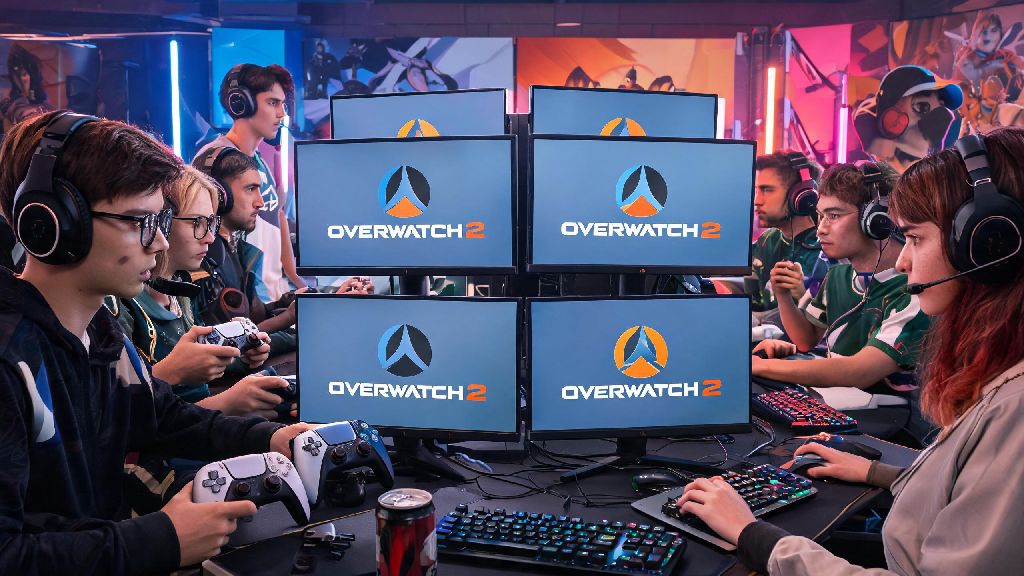
If you’ve ever queued up for Overwatch 2 competitive on your Xbox, PlayStation, or Switch and have friends who play on PC, you’ve almost certainly asked can console play with pc on overwatch 2 comp. Crossplay is one of the best parts of modern multiplayer games, letting you team up with people no matter what hardware they own, but competitive play usually has stricter rules to keep matches fair. We’re breaking down everything you need to know about cross-platform competitive play in OW2, from how matchmaking works to tips for holding your own if you’re playing against PC players on console.
Can Console Play With PC on Overwatch 2 Comp? The Short Answer
The short answer is yes, but only under specific conditions. If you’re queuing solo for competitive on console, you will never be matched against PC players by default. Blizzard’s matchmaking system prioritizes input type first for solo queues, to eliminate the inherent advantage mouse and keyboard has over controller for fast-paced aiming. That changes the second you group up with a friend who plays on PC, though. If any member of your pre-made group is playing on PC with mouse and keyboard, your entire lobby will be placed in the mouse and keyboard matchmaking pool, regardless of what platform or input other group members use. Even if you’re on a PS5 using controller, you’ll be matched against mostly PC mouse and keyboard players for that match. The highest input skill ceiling in your group decides your matchmaking pool, so you’ll never drag PC friends down to controller-only lobbies if they’re using mouse and keyboard.
How Crossplay Matchmaking Works for Overwatch 2 Competitive
A lot of players get confused about why they sometimes run into PC players in comp and other times don’t, and it all comes down to how Blizzard built the OW2 competitive matchmaking system. Unlike casual modes, which mix all platforms and input types freely as long as crossplay is enabled, competitive uses a hybrid input and platform matching system to keep matches as fair as possible. The core factors that decide which pool you’re placed in are:
For example, if you’re a console player using controller and you queue with two other controller players on PC, you’ll all be placed in the controller matchmaking pool, and you won’t run into any mouse and keyboard players. But if one of those PC friends switches to mouse and keyboard mid-session, your next match will be in the mouse and keyboard pool. Controller players who use mouse and keyboard on console are also placed in the mouse and keyboard pool, so you don’t have to worry about running into console players with unfair input advantages in controller lobbies. The system detects what input you’re using the second you load into the queue, so there’s no way to trick it into placing you in a lower skill pool.
Pros and Cons of Crossplaying Competitive Between Console and PC
Crossplaying competitive between console and PC isn’t for everyone, and it’s important to weigh the upsides and downsides before you queue with your cross-platform friends. The biggest upside, of course, is that you get to play competitive with your friends no matter what platform they’re on. You don’t have to stick to casual modes just because your best friend plays on PC and you’re on Xbox, which is a huge win for people who want to climb ranks together. You’ll also get faster queue times in most cases, especially if you’re in a lower rank or play in a less populated region where console-only queues can take 10 minutes or more. There are some pretty big downsides to keep in mind, though. The most obvious is the input disadvantage if you’re playing controller against mouse and keyboard players. Controller players have a 10% lower average accuracy against mouse and keyboard players in high-rank competitive lobbies, according to public Blizzard matchmaking data, which can make winning matches feel a lot harder if you’re not used to the faster playstyle. You’re also more likely to run into smurfs in PC pools, as it’s easier for players to make alt accounts on PC than on most consoles. You won’t lose more SR for losing against a crossplay mouse and keyboard lobby, as the ranking system adjusts for pool difficulty, so you don’t have to worry about ruining your rank just for playing with friends. I’ve queued with my PC main friend on my PS5 account a few times, and I noticed that hitscan heroes like Tracer and Widowmaker feel way harder to play against compared to my usual console-only lobbies, so I usually stick to tank or support roles when we crossplay to avoid getting picked off constantly.
Tips for Playing Console vs PC Crossplay in Overwatch 2 Competitive
If you do decide to queue for crossplay competitive with your PC friends, there are a few easy tweaks you can make to improve your chances of winning and have more fun. First, adjust your controller settings to fit the faster playstyle of mouse and keyboard lobbies. Most pro controller players recommend switching to linear ramp aim instead of exponential ramp, and slightly raising your aim assist window size to account for faster enemy movement. You don’t need to copy pro settings exactly, but testing small changes in quick play first before you queue comp will help you find what works for you. Second, pick heroes that play to the strengths of controller input. Heroes like Reinhardt, Mercy, Lucio, and Junker Queen don’t require super fast flick aim to be effective, so they’re much more viable against mouse and keyboard teams than hitscan damage heroes like Widowmaker or Ashe. Aim assist is still enabled for controller players even in crossplay mouse and keyboard lobbies, so you’ll still have that extra help tracking enemies, it just might feel less effective against players who are moving faster than what you’re used to in console lobbies. Third, communicate with your team about your strengths and weaknesses. Let them know you’re on controller, so they don’t expect you to win long-range duels against Widowmaker players, and focus on playing around close-range fights where controller aim assist shines the most. If you find that crossplay lobbies are too frustrating or you’re trying to grind for a top console rank, you can turn crossplay off entirely. You can opt out of crossplay entirely in your account settings if you don’t want to match with PC players at all. Just keep in mind that opting out will lead to longer queue times, especially in higher ranks where there are fewer console players online at any given time.
At the end of the day, the answer to can console play with pc on overwatch 2 comp is yes, as long as you’re grouping up with cross-platform friends, and solo console players never have to worry about being matched against PC players by default. Crossplay competitive is a great option if you want to play with friends across platforms or test your skills against a wider range of players, but it’s totally fine to stick to console-only lobbies if you’re focused on climbing ranks or you don’t want to deal with the input disadvantage. I usually crossplay only when I’m messing around with friends, and stick to console-only comp when I’m trying to climb to Grandmaster on my Xbox account, and that balance works perfectly for me. Try both options out to see what fits your playstyle and goals, and don’t let anyone tell you that controller players can’t hold their own against PC players in crossplay lobbies.