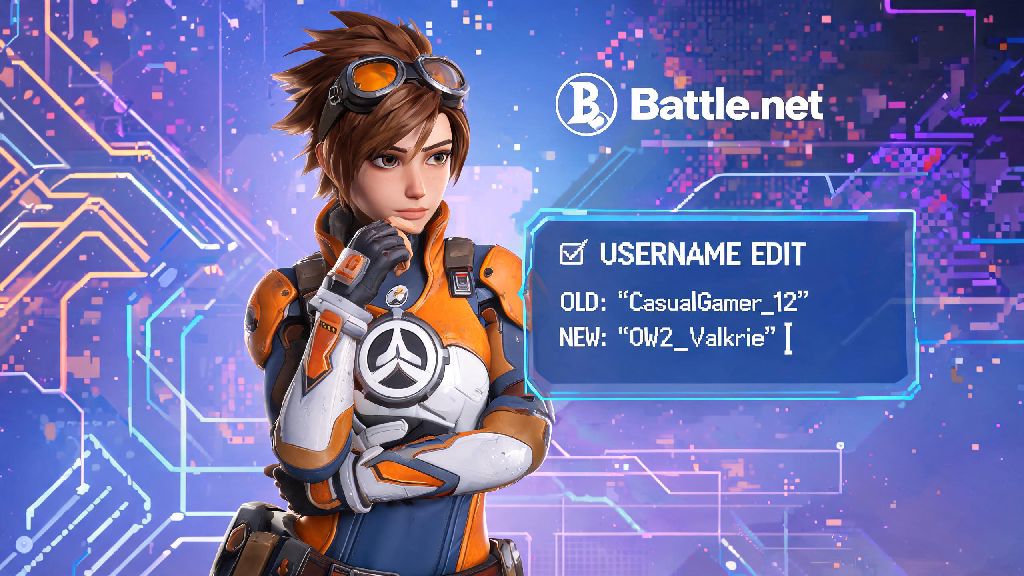
If you’ve ever logged into a match and cringed at the silly username you picked when you first downloaded the game, you’ve probably asked: can I change my Overwatch 2 name? You’re far from alone. Thousands of players search for this exact question every month, whether they picked a meme name that’s no longer funny, used a friend’s old account, or just outgrew the username they chose as a teen. I’ve gone through two name changes myself, so I know exactly what hoops you have to jump through, and what common mistakes to avoid if you don’t want to waste money or wait months to fix a bad choice.
How Do I Change My Overwatch 2 Name, Exactly?
First, it’s important to note that your in-game Overwatch 2 name is the same as your Blizzard BattleTag, which is linked to your entire Battle.net account. That means you don’t change your name directly inside the Overwatch 2 client, you make the change through your Battle.net account settings. The process only takes a few minutes if you already have your account login details handy.
To start, log into your Battle.net account on the official Blizzard website, or open the Battle.net desktop app and navigate to your account settings page. Look for the “BattleTag” section in the left-hand menu, then click the “Edit” button next to your current username. Type in your desired new name, confirm that it meets Blizzard’s character requirements, then click save. The change will go into effect immediately, and your new name will show up the next time you launch Overwatch 2.
Your first BattleTag change is completely free, no matter how long you’ve had your account. Even if you created your Battle.net account back when the original Overwatch launched in 2016, you still have that free change available if you never used it before. There are no extra requirements to access the free change, as long as your account is in good standing with no active bans or restrictions.
Rules and Restrictions for Overwatch 2 Name Changes
Before you rush to pick a new name, there are a few key rules you need to know to avoid having your change rejected or your account penalized. First, you can only change your BattleTag once every 90 days, so you won’t be able to fix a bad choice for three full months after you make the switch. That cooldown applies to both free and paid name changes, with no exceptions for regular players.
It’s easy to get excited and pick a silly, throwaway name when you’re in a rush, but the 90-day lock means you’ll be stuck with that choice for months if you don’t think it through first. Many casual players who don’t want to waste their paid change on a name they’ll get bored of in a week test out fun username ideas across other casual games first, to see if the name fits their vibe. For example, quick casual game players often test funny, short usernames on Game Rummy first, before committing to a permanent paid BattleTag change that they’ll be stuck with for three months.
Blizzard also has strict guidelines for what you can and can’t use as a BattleTag. If your desired name violates any of these rules, your change request will be rejected automatically, or you may be forced to change it later even if it was initially approved:
Offensive usernames can result in a temporary or permanent account ban, even if you paid for the name change. Blizzard’s moderation team regularly scans for violating usernames, and if someone reports your name or it gets flagged by their automated system, you’ll be required to pick a new one without a refund. If you refuse to change a violating name, your account may be suspended until you comply.
Free vs Paid Overwatch 2 Name Changes: What’s the Difference?
As we mentioned earlier, every Battle.net account gets one free BattleTag change to use whenever you want. That free change never expires, so you can hold onto it for years if you’re happy with your current name and don’t plan to switch any time soon. There are no limits on what you can use the free change for, as long as your new name follows the guidelines we listed above.
If you already used your free change, every subsequent name change will cost $10 USD, or the equivalent in your local currency. You can purchase paid name changes directly through the Battle.net account settings page, and they work exactly the same as free changes, with the same 90-day cooldown and guideline restrictions. You can buy as many paid changes as you want, but you’ll still have to wait three months between each switch.
You cannot transfer unused name changes between accounts, even if they are linked to the same email. If you have a separate account for playing competitive Overwatch 2 and a second account for casual play, each account has its own separate free name change and paid change inventory. The only exception is if Blizzard issues a free name change to all players after a policy update or account security incident, which will be applied to every eligible account individually.
Blizzard will occasionally issue free name changes to players who had their username force-changed for violating community guidelines, or if your old name was allowed under old rules but violates new updated guidelines. These forced free changes do not use up your one free personal change, and you won’t have to pay anything to pick a new compliant name.
Tips to Pick an Overwatch 2 Name You Won’t Regret Later
The biggest mistake most players make when changing their name is picking something trendy that will feel outdated in a few weeks. Meme references, references to current events, or even usernames tied to your favorite current Overwatch 2 hero can feel cringey after a couple of months, especially if the meta shifts and you stop playing that hero entirely. Stick to names that feel personal to you, rather than something that’s only funny right now.
Avoid adding random numbers at the end of your name unless you actually like how they look, because most players will ignore the numbers when referencing you in chat. If you pick a name that’s already taken, you’ll get a random number suffix attached automatically, but you can edit that suffix to something that feels intentional, like your lucky number or the year you started playing Overwatch, instead of sticking with the random string of digits the system assigns.
Never include personal information like your real full name, address, phone number, or school in your username. Overwatch 2 has a large competitive community, and tilted players have been known to look up personal information of other players they lose to. Keeping your username separate from your real identity will help you stay safe while playing, especially if you regularly play public matches or join random groups.
If you play with a regular group of friends, run your desired new name by them before you lock it in. They’re the people who will be calling your name out in voice chat every time you queue up, so if it’s hard to pronounce or has an embarrassing double meaning they notice before you do, you can save yourself a lot of teasing later. You can also test out the name in casual game lobbies for a few days to see how it feels when other players use it in chat.
At the end of the day, if you’re still asking can I change my Overwatch 2 name, the answer is a clear yes, as long as you follow Blizzard’s official rules and plan ahead. Take a minute to test out your desired name across other platforms if you want, double check it doesn’t violate any community guidelines, and don’t rush the choice just because you’re sick of your old one. I made the mistake of picking a meme name tied to a short-lived trend a few years back, and had to wait three whole months to switch to something I actually liked. A little extra thought upfront will save you a lot of frustration later.