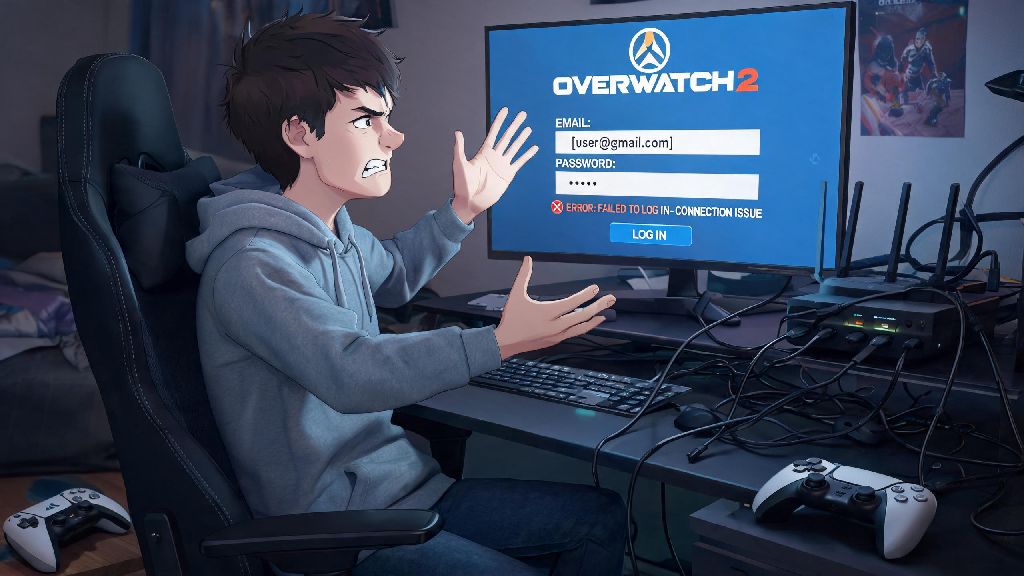
You’re all hyped to queue up for a quick Play of the Game chase with your squad, load up the client, and hit a wall: you can’t login to Overwatch 2. I ran into this exact issue last week when I was supposed to play a ranked queue with my friends, and I spent 20 minutes panicking before I realized my router had crashed in the background. It’s one of the most frustrating issues players face, especially when you’ve carved out time to play after a long week, or you’re mid-rank push for your seasonal rewards. Most of the time, the fix is far simpler than you think, no need to wait hours for support tickets or reinstall the entire game right off the bat. I’ve put together all the fixes I’ve tested myself, plus ones shared by the Overwatch 2 community, sorted by how fast you can try them so you don’t waste time on unnecessary steps.
First Steps to Take When You Can’t Login to Overwatch 2
Start with the simplest, fastest checks first, because they’re the ones that fix most login issues in under a minute. First, verify your internet connection is working properly. Open another app that uses internet, like your browser or a streaming service, to make sure you’re not just offline. If you’re on Wi-Fi, try moving closer to your router or switching to a wired ethernet connection if you can, since unstable Wi-Fi is a very common cause of login timeouts. If your internet is down, a quick router restart usually fixes the issue in 2 minutes.
Next, check if Overwatch 2 servers are currently down. Blizzard posts real-time server status updates on their official support page, and third-party outage trackers also show if hundreds of other players are reporting the same issue at the same time. If servers are down for maintenance or a sudden outage, there’s nothing you can do but wait for Blizzard to fix it, so you can use that time to grab a snack or catch up on patch notes. Double check your Battle.net account credentials before you move to more complex fixes. I can’t tell you how many times I’ve typed my old password after resetting it on another device, or had caps lock on by accident.
If you have two-factor authentication enabled, make sure your authenticator app is synced correctly, and that you didn’t get a pending login request you missed. For example, I once spent 45 minutes trying to fix a login error before I realized my roommate had logged into my Battle.net account on their PC to play Hearthstone, so my client kept kicking me out as soon as I entered my password. It’s such a small thing, but it’s easy to overlook when you’re frustrated.
Fixes for Battle.net Client Login Errors
A lot of login issues don’t come from the game itself, they come from the Battle.net client that runs it. The first fix here is to fully restart the Battle.net client, don’t just minimize it or click the X button. A lot of people just click the X on the Battle.net window and assume it’s closed, but it usually runs in the background to handle updates and notifications. Open your task manager (Ctrl+Shift+Esc on Windows, Activity Monitor on Mac) and look for any processes named Battle.net, Blizzard Agent, or Overwatch 2, end all of them, then reopen the client. That alone fixes around 30% of login issues, based on what I’ve seen in community polls.
Clear your Battle.net cache next, because corrupted cache files are one of the most common causes of login glitches, and it only takes a minute to fix. You can find the cache folders in your ProgramData folder on Windows, or your Library/Caches folder on Mac. Delete the Cache, CacheOld, and Blizzard Entertainment folders you find there, then restart your PC before opening Battle.net again. This won’t delete any of your game files or account data, it just clears old temporary files that might be causing conflicts.
You should also check if the Battle.net client needs an update. If you have auto-updates turned off, an outdated client won’t connect to Blizzard’s servers properly, so you’ll get stuck on the login screen even if your credentials are correct. If you’re on a shared PC, make sure the client isn’t set to remember a different account’s login info, which will throw an error when you try to use your own. You can log out of the saved account and enter your details manually to rule this out.
Fixes for In-Game Overwatch 2 Login Bugs
Sometimes the Battle.net client works perfectly, but Overwatch 2 itself won’t let you log in once you launch the game. The first fix to try here is verifying your Overwatch 2 game files. Corrupted game files can cause login errors, especially right after a new patch drops, because the update might not install correctly for some players. Use the Scan and Repair tool in Battle.net to check for missing or broken files, it will automatically replace any that are wrong, no need to reinstall the whole game. After a big season patch last year, half my friend group got hit with LC-202 errors because the patch corrupted a small number of game files. The Scan and Repair tool fixed it for all of us in under 5 minutes, so don’t jump straight to reinstalling the 50GB game unless you have to.
Next, check if your antivirus or firewall is blocking Overwatch 2. A lot of antivirus programs flag game clients as suspicious after updates, so they’ll block the game from connecting to servers without telling you. You can add Overwatch 2 and Battle.net to your firewall’s allowed list, or temporarily disable your antivirus to test if that’s the issue. Just don’t leave your antivirus disabled long-term, only use this as a test to narrow down the problem. If you’re playing on console, check if your console’s system software is up to date, and that your PlayStation Plus or Xbox Live subscription is active, since you need an active subscription to play online matches on most consoles.
If you see an error code pop up when you try to log in, that will tell you exactly what’s wrong. These are the most common error codes players run into:
What to Do If All Basic Fixes Fail
So you tried all the steps above, and you still can’t get in? Don’t worry, there are a few more things you can try before reaching out to support. First, try logging into your Battle.net account on a different device, like a friend’s PC or your phone, to see if the issue is with your account or your own device. If you can log in elsewhere, the problem is definitely on your local setup, so you can try reinstalling Battle.net first, then reinstall Overwatch 2 only if that doesn’t work.
Check if your Battle.net account has any active restrictions or bans next. If you violated Blizzard’s terms of service recently, you might have a temporary or permanent ban that’s blocking you from logging in. You’ll get an email about any bans or restrictions sent to the email linked to your account, so check your spam folder if you don’t see it in your main inbox. If you’re on a school or work network, it’s also possible that the network admin has blocked Battle.net or Overwatch 2 servers to save bandwidth. If that’s the case, you might need to use a VPN to connect, but make sure you check your school or work’s rules first, because some networks ban VPN use as well.
If you still can’t figure it out, reach out to Blizzard support with your error code, what steps you’ve already tried, and your account info. They usually get back to you within 24 hours for login issues, and they can help with account-specific problems like locked accounts or missing verification emails. You can also check Overwatch 2 community forums and social media pages, because other players might have found a workaround for a rare new bug that hasn’t been officially fixed yet.
At the end of the day, most issues where you can’t login to Overwatch 2 are easy to fix in 10 minutes or less, no technical expertise required. Start with the simplest steps first, like checking server status and your internet connection, before you move on to more complex fixes like clearing cache or scanning game files. If you run into a rare issue that doesn’t have an obvious fix, the Overwatch 2 community is always sharing new workarounds on social media and forums, so you’re never stuck dealing with it alone. Next time you hit a login wall, take a deep breath, work through these steps, and you’ll be back to capturing points and popping off with your main in no time.