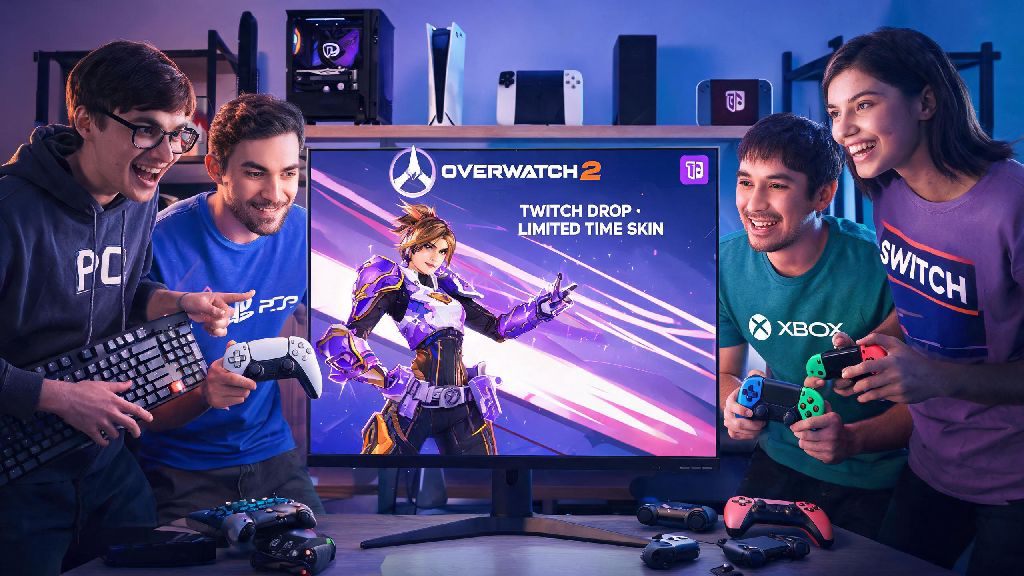
If you’ve ever watched your favorite Overwatch 2 streamer show off a rare skin you couldn’t find in the in-game shop, chances are it came from a limited-time Twitch drop. A lot of players skip the account linking step because they assume it’s complicated or risky, but once you know how to link Twitch to Overwatch 2, you can unlock free rewards just for tuning into streams you’d watch anyway. I’ve tested this process across three different personal accounts over the past year, and I’ve picked up all the tricks to avoid the common headaches that leave people missing out on limited-edition loot.
Step-by-Step: How to Link Twitch to Overwatch 2 in 3 Minutes or Less
This process is the same for PC, PlayStation, Xbox, and Switch players, as long as your console account is already linked to your main Blizzard account. First, head to the official Blizzard account settings page and log in with the same credentials you use to play Overwatch 2. Navigate to the “Connections” tab on the left side menu, then scroll down until you see the Twitch icon. Click the “Connect” button next to it, and you’ll be redirected to a Twitch login page. Log in with the Twitch account you use to watch streams, then confirm the permission request to connect the two accounts. That’s it, the whole process takes less than 3 minutes if you have your login info handy.
I used to mess this up when I first started playing on Xbox, because I tried linking Twitch directly to my Xbox account first instead of going through Blizzard. That doesn’t work, so always start with Blizzard’s official site to avoid wasted time. Always verify you’re on the official Blizzard website before entering your login details to avoid phishing scams that steal account information. If you’re on mobile, you can use the official Blizzard app instead of a browser for extra security.
Perks You Unlock After Linking Your Twitch and Overwatch 2 Accounts
Once you’ve finished the process for how to link Twitch to Overwatch 2, you’ll start seeing eligible drops pop up on Twitch streams right away. Most drops are tied to specific events, like new season launches, Overwatch League tournaments, or collaboration events with popular streamers. You don’t have to actively watch the stream the whole time to earn progress, either – you can leave it running in the background while you work, cook, or play other games, as long as your Twitch status shows you’re active.
The types of rewards you can earn change every month, but these are the most common drops you’ll have access to:
I’ve gotten 3 free legendary skins over the past 8 months just from leaving streams running while I make dinner, so it’s totally worth the small time investment to set up the link. Drops are only counted if your account is linked before you start watching the stream, so don’t wait until halfway through an event to connect your accounts, because past watch time won’t count retroactively.
Common Issues When Linking Twitch to Overwatch 2 (And How to Fix Them)
Even if you follow all the steps correctly, you might run into small issues from time to time, most of which have super simple fixes. The most common complaint I hear is that earned drops aren’t showing up in-game. If that happens, first make sure you clicked the “Claim” button on your Twitch drops page once you finished the required watch time. Then restart your Overwatch 2 client completely, and the drop should show up in your in-game inventory within 10 minutes. If it still doesn’t appear, double check that your Twitch account isn’t linked to a different Blizzard account by accident – lots of people who have old Blizzard accounts forget they linked their Twitch to those years ago.
Another common issue is getting a connection error when you try to link the two accounts. This is almost always caused by ad blockers, VPNs, or cached browser data interfering with the connection. Try switching to incognito mode, disabling your ad blocker and VPN temporarily, then run through the connection steps again. If you've linked a different Twitch account to your Blizzard account in the past, you can only switch linked accounts once every 12 months, so double check you’re using the right Twitch profile before you confirm the connection.
If your stream watch time isn’t counting towards a drop, first make sure the stream you’re watching has the “Drops Enabled” tag visible on their stream page. Only streams participating in the official event count towards progress. You can only earn progress towards one Twitch drop event at a time, so pick the event you care about most if multiple are running at the same time, because your watch time won’t split between them.
Best Practices to Make the Most of Your Linked Accounts
To make sure you never miss a limited drop, turn on Twitch notifications for the official Overwatch 2 channel and any streamers you watch regularly. Most limited drop events only run for 2-3 days, so getting an alert as soon as they go live means you won’t run out of time to earn the rewards. You can also follow the official Overwatch social media pages, because they usually announce drop schedules a full week in advance, so you can plan your watch time around your other commitments.
If you share a Blizzard account with family members or roommates, make sure everyone agrees on which Twitch account to link before you set it up. Since you can only switch linked accounts once a year, picking the wrong one can mean everyone misses out on drops they wanted. If you’re a streamer yourself, linking your accounts also lets your viewers earn drops when they watch your streams, as long as you sign up for Blizzard’s official streamer partner program for Overwatch 2.
Never link your account to third-party sites promising free Overwatch 2 drops in exchange for login info, all official drops only come through the direct Twitch and Blizzard connection, no extra steps needed. Any site asking for extra info or payment for drops is a scam, and you risk losing both your Blizzard and Twitch accounts if you give them your details.
At the end of the day, learning how to link Twitch to Overwatch 2 is one of the easiest ways to get free in-game loot without spending any extra money or grinding extra matches. It takes less than 3 minutes to set up, and the payoff is constant access to exclusive skins, battle pass rewards, and limited-time items you can’t get anywhere else. If you run into any issues that aren’t covered here, you can reach out to Blizzard support directly with your linked account details, and they usually resolve connection issues within 24 hours. Next time a new drop event is announced, you’ll already be set up to start earning rewards the second the event goes live.