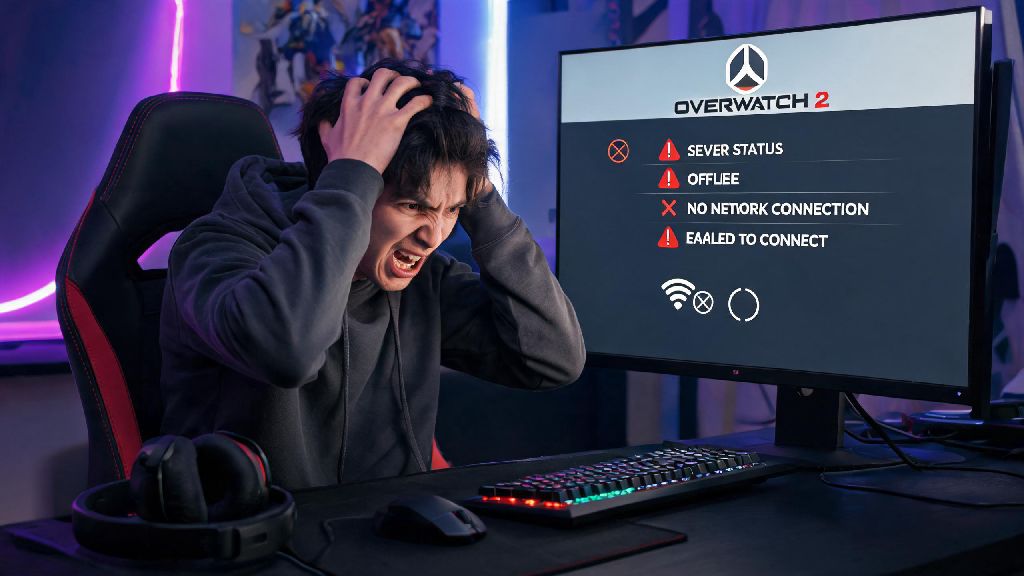
You’re mid-queue for a ranked Overwatch 2 match, your main hero selected and strategy mapped out, when you get hit with a sudden connection error that boots you back to the main menu. The first question that pops into your head is almost always are Overwatch 2 servers down right now, or is the problem on your end? It’s an incredibly frustrating experience, especially when you’re on a win streak or playing with a group of friends. This guide will walk you through exactly how to confirm server status, rule out local issues, and get back to playing as fast as possible with minimal lost progress or SR penalties.
How to Confirm if Overwatch 2 Servers Are Down Right Now
The fastest way to get an accurate answer is to check official, authoritative sources first, before you start messing with your router or game settings. Blizzard’s official server status page is the most reliable source, as it updates in real time to show outages, planned maintenance, and partial service disruptions for every region and platform. It also breaks down issues by game mode, so you can tell if only competitive play is down or if all servers are offline.
Next, check the official Overwatch 2 X (formerly Twitter) account. The team posts updates about emergency maintenance, unplanned outages, and estimated restoration times as soon as they have information available. I’ve made the mistake of restarting my router three times before checking this account, only to find out Blizzard pushed an emergency patch 10 minutes prior that took all servers offline for an hour. Don’t waste your time troubleshooting local issues first if it’s a widespread outage.
You can also cross-check with third-party outage trackers that aggregate reports from thousands of players across the globe. If you see a sharp spike in outage reports in the last 10 to 15 minutes, that’s a clear sign the problem is not unique to you. If you play on console, don’t forget to check Xbox Live, PlayStation Network, or Nintendo Switch Online status too — sometimes the issue is with your console’s online service, not Overwatch 2 itself.
Common Signs of a Global Outage vs Local Connection Issues
Sometimes server status pages take a few minutes to update, so you can use these quick checks to figure out what’s going on before official reports go live. If it’s a global server outage, you’ll usually notice a few consistent patterns that don’t line up with a problem on your device or network. You don’t need any technical skills to spot these differences, just a minute or two to test a few things.
If all game modes are unavailable and you can’t even access your battle pass, gallery, or friend list, that’s almost always a server-side issue. If multiple players in your group are getting the same error at the same time even if they live in different areas, that’s another dead giveaway it’s a global outage. If you can stream, browse the web, and play other online games with no issues, you can be almost certain the problem is with Overwatch 2’s servers, not your connection.
Last month I thought servers were down when I kept getting booted from quick play, but it turned out my roommates were downloading 4K movies on the same network, eating up all my bandwidth. A quick speed test showed I had less than 1mbps upload, which is way too low for Overwatch 2’s required connection. That’s the kind of issue you can fix yourself, but only if you rule out server outages first.
Quick Fixes to Try if the Problem Is On Your End
If you’ve confirmed servers are running fine for other players, you can run through these simple fixes to resolve most local connection issues in 5 minutes or less. You don’t need any special tools or technical knowledge for any of these steps, and they work for both PC and console players.
First, restart your router and gaming device — this fixes 70% of local connection issues, because it clears cached data and resets your IP connection to your ISP. Most people skip this step because it feels too simple, but I’ve had it fix intermittent disconnects that I thought were caused by a broken network card. Just unplug your router for 30 seconds, plug it back in, wait 2 minutes for it to fully boot up, then restart your game device.
Next, close all background bandwidth-heavy apps — things like streaming software, cloud backups, file downloads, even other online games running in the background can cause enough lag to disconnect you from Overwatch 2 servers. If you play on PC, check your task manager to see if any hidden apps are using more bandwidth than you expect. If you share a network with other people, ask them to pause large downloads or streams while you play.
If you’re on wifi, switch to a wired ethernet connection if possible. Wifi signal interference from microwaves, other devices, or thick walls can cause intermittent drops that only show up when you’re playing fast-paced online games. You can also try moving closer to your router or switching to a 5GHz wifi network if your router supports it. Don’t download any third-party “server fix” tools you see advertised online — most of them are malware, and they won’t do anything to resolve either server outages or local connection issues.
What to Do If Overwatch 2 Servers Are Confirmed Down
If you’ve checked official sources and confirmed servers are offline, there’s no point in spamming the login button or troubleshooting your connection. The first thing to do is avoid spamming the login button — that can put extra stress on servers as they come back online, and you might end up with a temporary cooldown for too many failed login attempts. Just close the game and check the official X account for updates on when servers will be back up.
Planned maintenance windows are usually scheduled during low-traffic hours for each region, and Blizzard posts about them at least 24 hours in advance on their official channels. If you see a maintenance announcement, you can plan your play time around it so you don’t get booted mid match. For unplanned outages, you can usually expect an update from the Overwatch team within 30 minutes of the outage starting, with an estimated time for servers to be restored.
If you got booted mid ranked match during a server outage, you won’t lose SR in most cases. Blizzard automatically reverses penalties for matches that are interrupted by widespread server issues, so you don’t have to worry about losing your win streak over something that’s out of your control. I’ve had a few ranked matches cut short by outages over the past year, and I’ve never had SR deducted for those losses, even if my team was winning when we got booted. Just make sure you don’t close the game immediately if you get an error, wait a minute or two to see if it reconnects, otherwise you might get a leave penalty by mistake.
Next time you get hit with a connection error when you’re trying to play, you don’t have to waste time guessing are Overwatch 2 servers down right now. A few quick checks of official sources and local connection tests will give you the answer in seconds, and you’ll know exactly what steps to take next to get back to your matches as fast as possible. Even if you have to wait out a server outage, you can rest easy knowing you won’t face unfair penalties for issues that are out of your control, and you can use the downtime to practice your aim or plan out your next hero combo for when servers come back online.