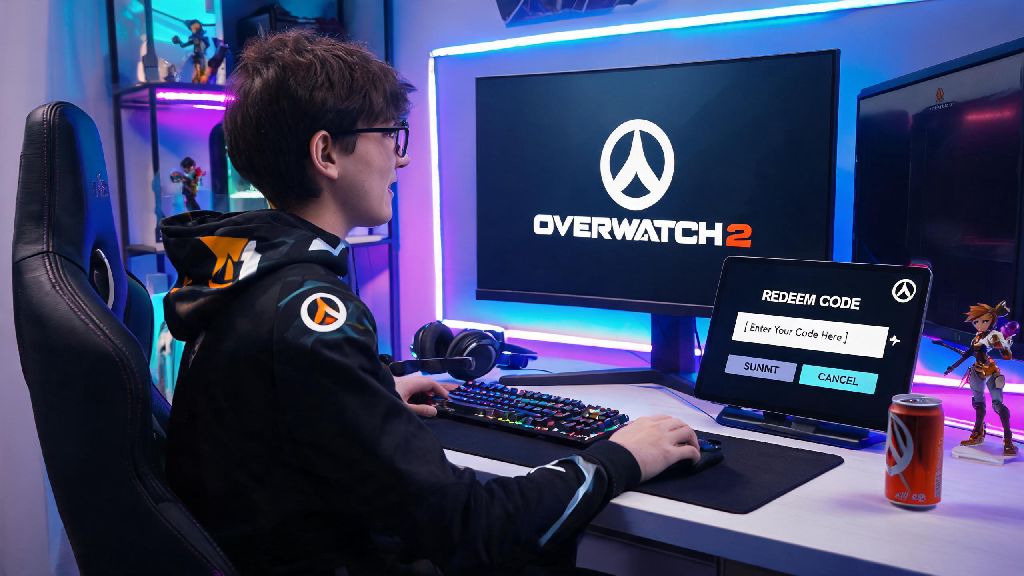
If you’ve ever gotten a random Overwatch 2 code for a free legendary skin or bonus battle pass XP, you’ve probably scratched your head wondering where to put codes in Overwatch 2 without fumbling through half a dozen menus first. Most players miss the code redemption spot on their first try, since it’s not front and center on the main game launch screen or in the in-game settings tab you check most often. We’ve put together this full guide to walk you through every valid method, plus common pitfalls to avoid so you never let an expired code go to waste again.
Where to Put Codes in Overwatch 2: In-Game Method
The most straightforward way to redeem your code is directly inside the game, especially if you’re already logged in to play a few matches. If you’ve searched for where to put codes in Overwatch 2 before and found old guides that tell you to look in the options menu, those are outdated, since Blizzard moved the redemption spot to the shop back in 2023. You don’t need to have any paid shop items unlocked to access this feature, it’s available for all free-to-play and paid account holders.
Follow these simple steps to redeem in-game: First, launch Overwatch 2 and sign into your linked Battle.net account, making sure you’re on the profile you use for regular play. Next, navigate to the Shop tab on the top right of the main menu, right next to the Play button. Scroll all the way to the bottom of the Shop page, past all the featured skin bundles and battle pass promotions, until you see the small Redeem Code button on the lower left. Click it, enter your 12-character code exactly as it appears (capitalization doesn’t matter, but dashes do if they’re included in the code you received), hit submit, and your reward will be added to your account within 60 seconds. You’ll get a pop-up notification confirming the reward as soon as it’s processed.
Console players should note that this method works exactly the same on PlayStation, Xbox, and Switch, as long as your console account is properly linked to your Battle.net profile. If you get an error saying your account is not eligible, double check that your link is active in your Battle.net account settings before trying again.
Redeeming Overwatch 2 Codes via the Battle.net Desktop Client
If you don’t want to boot up the full game just to redeem a code, you can do it directly through the Battle.net launcher you already use to open Overwatch 2. This is the best method if you got a code while you’re at work or away from your gaming setup, since you can redeem it in 10 seconds without loading the full 50GB game file. This method works for all valid Overwatch 2 codes, so you don’t have to worry about looking up where to put codes in Overwatch 2 again once you get the hang of it.
The steps for this method are equally simple: Open your Battle.net client and make sure you’re signed into the same account you use for Overwatch 2. Click on your profile icon in the top right corner of the client, right next to the settings cog. Select Redeem a Code from the dropdown menu that appears, type or paste your Overwatch 2 code into the text field, and follow the prompts to confirm your redemption. You’ll get an email confirmation to the address linked to your Battle.net account, and your reward will be waiting for you the next time you log into the game.
Even if you only play Overwatch 2 on console, you can use this method to avoid typing long codes with your controller. As long as your console account is linked to your Battle.net profile, any code you redeem on the desktop client will automatically apply to your console account the next time you log in.
Common Code Redemption Mistakes to Avoid
Even when you know where to enter your code, small mistakes can lead to frustrating error messages that make you think your code is invalid. A lot of players mix up code redemption processes across different games they play, especially if they hop between fast-paced shooters and casual online games in their free time. For example, if you play casual skill games to unwind between ranked Overwatch 2 queues, you might be used to entering codes in your account settings menu like you do on Rummy77, but that system won’t work for Overwatch 2. Stick to the two methods we outlined above to avoid unnecessary errors.
Some of the most common mistakes that prevent code redemption include:
If you get an error message even after fixing all these issues, you can contact Blizzard support with proof of your code purchase or giveaway win to get help resolving the problem. Most issues are resolved within 24 hours if you have the right documentation, like a screenshot of the code you received or a confirmation email from the official giveaway host.
What Kind of Rewards Can You Get With Overwatch 2 Codes?
A lot of new players assume codes only give out cosmetic skins, but there are a ton of different rewards you can get from valid Overwatch 2 codes. Most official codes are given out during seasonal events, Overwatch League broadcasts, Twitch drop campaigns, and official Blizzard community giveaways on social media. You should never trust third-party sites that ask for your account password or payment information in exchange for free codes, since almost all of these are scams designed to steal your account or personal information.
Some of the most common rewards you can get from valid codes include free battle pass tiers, which are usually given out at the start of a new season to help players unlock rewards faster. You can also get exclusive skins that aren’t available for purchase in the in-game shop, like collaboration skins with other franchises or limited-time event cosmetics that only go to giveaway winners. Other rewards include bonus battle pass XP, voice lines, weapon charms, name cards, and even free Overwatch Coins that you can use to buy whatever you want in the shop.
I’ve gotten 3 free legendary skins from codes over the last year, mostly from attending Overwatch League viewing events and participating in official community giveaways on Twitter and Reddit. It only takes a minute to redeem a code once you know where to look, so it’s always worth taking the time to claim these free rewards instead of letting them expire.
At the end of the day, figuring out where to put codes in Overwatch 2 is a simple process once you know where to look, whether you prefer to redeem directly in-game or through the Battle.net client. Just make sure you double check for typos, confirm you’re on the correct account, and avoid any suspicious third-party code offers to keep your account safe while claiming your free rewards. You don’t have to miss out on free skins or battle pass bonuses ever again now that you know exactly where to go.