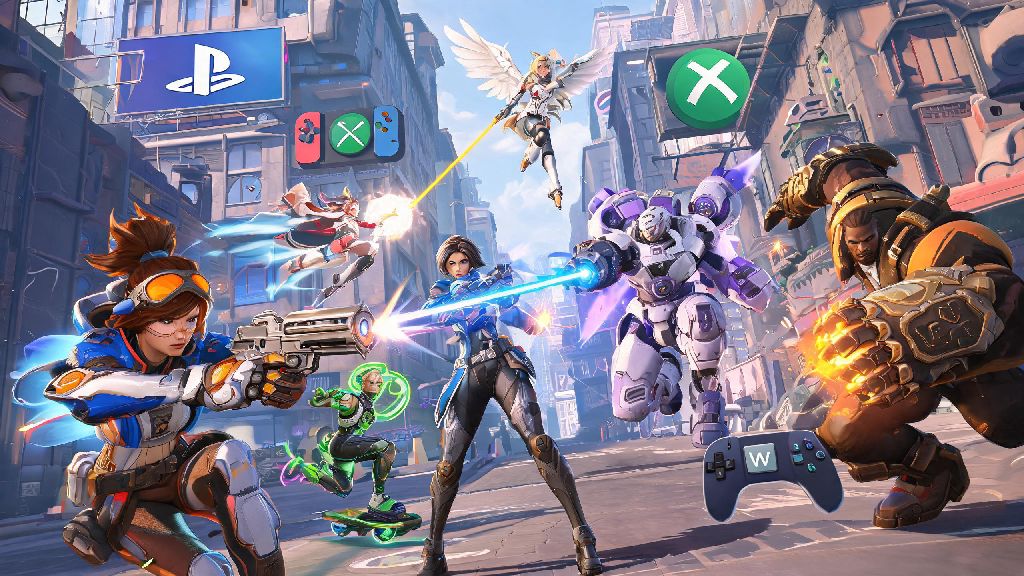
If you’ve ever wanted to grind competitive Overwatch 2 matches with a friend who plays on a different device, you’ve probably asked: can you play competitive Overwatch 2 cross platform? For years, Blizzard restricted crossplay to casual modes only, leaving competitive players stuck queuing only with people on the same platform. That changed a few seasons back, but there are still a lot of unwritten rules and restrictions that catch players off guard when they first try to queue across devices. This guide breaks down everything you need to know to play competitive cross platform, from queue limits to rank rules to tips for climbing while playing with friends across PC, PlayStation, Xbox, and Switch.
Can You Play Competitive Overwatch 2 Cross Platform? Official Rules Explained
The short answer is yes, you can play competitive Overwatch 2 cross platform, but only under specific conditions set by Blizzard to keep matches fair. The biggest rule that governs all cross platform competitive play is mandatory input-based matchmaking, which segregates players into separate pools based on whether they use a controller or mouse and keyboard, regardless of what device they’re playing on. That means if you’re a PC player using a controller, you’ll be placed in the same pool as console controller users, not PC mouse and keyboard players. If you’re a console player who uses a mouse and keyboard, you’ll be placed in the mouse and keyboard pool with PC players.
Blizzard rolled out this rule to eliminate the inherent advantage mouse and keyboard players have over controller players when it comes to fast aiming and flick shots. Before input-based matchmaking was added, cross platform competitive lobbies were heavily skewed in favor of mouse and keyboard users, leading to widespread complaints from console players. Cross progression is also fully enabled, so your rank, skins, and unlocks carry over across all devices linked to your Battle.net account, though your rank is separate for each input method.
Key Restrictions for Cross Platform Competitive Overwatch 2 Queues
While cross platform competitive play is allowed, there are several hard limits you need to be aware of before you try to queue with friends on other devices. These rules are non-negotiable, and Blizzard doesn’t make exceptions for any player, even if you’re queuing with a full 5-stack. The most important restrictions are:
Most players run into issues with the 60 FPS lock for PC controller players queuing with console friends first, as it’s not clearly advertised in the game settings. I’ve had multiple friends message me confused why their 240 Hz PC is suddenly capped at 60 FPS when queuing with their Xbox roommate, and this rule is always the culprit. You can disable crossplay entirely in your settings if you want to avoid this cap, but that will limit you to only queuing with other PC players, and queue times may be longer as a result.
Pros and Cons of Playing Competitive Overwatch 2 Cross Platform
Before you decide to enable crossplay for your competitive grinds, it’s worth weighing the benefits and drawbacks to make sure it’s the right fit for your goals. The biggest advantage for most players is shorter queue times, especially if you live in a low-population region like Oceania or South America, or play during off-peak hours like early weekday mornings. Cross platform pools have far more players than single-platform pools, so you’ll rarely wait more than 2 minutes for a match, even in lower ranks. You also get to play with friends who don’t have the same device as you, which is the main reason most people enable crossplay in the first place.
There are downsides too, of course. The 60 FPS lock for PC controller players can be a big adjustment if you’re used to playing at 144 FPS or higher, and you may notice your aim feels off for the first few matches. Communication can also be a pain point, as console players often rely on their system’s native party chat, which PC users can’t join, so you’ll need to set up a third-party voice chat if you want to make callouts. You also won’t be able to compete for Top 500 spots while playing cross platform, as those leaderboards are split by platform to prevent unfair hardware advantages. That means if you’re gunning for a Top 500 finish this season, you’ll need to disable crossplay entirely.
Tips to Climb Ranks When Playing Cross Platform Competitive Overwatch 2
Playing cross platform doesn’t have to hold you back from climbing the ranks, as long as you adjust your playstyle and queue settings to account for the restrictions. First, make sure everyone in your party is on the same page about input methods before you queue. If one friend switches between controller and mouse and keyboard every other match, you’ll keep getting moved between pools, which will mess with your match making rating (MMR) and lead to inconsistent lobbies. If you want to queue with controller-using console friends, commit to using controller for the entire session, or ask them to switch to mouse and keyboard if they have that set up.
Next, always use a unified voice chat platform instead of relying on in-game chat. In-game chat on console is often buggy, and you’ll miss critical callouts about enemy flanks or ultimate ability usage if half your party is on system party chat. Discord works across all devices, so it’s the easiest option for most groups. You should also check your cross progression rank sync before you queue, especially if you haven’t played on a specific input method in a few seasons. Your rank for controller play is separate from your mouse and keyboard rank, so you might be much lower or higher than your friends on a different input without realizing it.
If you’re dealing with the 60 FPS cap on PC, adjust your hero pool to pick heroes that don’t rely on fast flicks or high frame rate to be effective. Tanks like Reinhardt and Winston, supports like Mercy and Lucio, and damage heroes like Reaper and Symmetra all work perfectly well at 60 FPS, and you won’t feel as handicapped as you would playing Widowmaker or Tracer. Finally, if you’re running into a lot of smurfs or unbalanced lobbies, don’t be afraid to turn off crossplay for a few sessions. Single-platform lobbies are often more balanced, even if queue times are a bit longer, and you’ll have an easier time climbing if you’re not facing players with a hardware advantage. You should also avoid queuing cross platform during seasonal resets, as the large number of uncalibrated players can lead to very inconsistent matchups that are hard to win even if you play well.
At the end of the day, the answer to can you play competitive Overwatch 2 cross platform is a qualified yes, as long as you follow Blizzard’s input and rank rules. It’s a fantastic feature for players who want to grind ranks with friends across different devices, and the shorter queue times make it a great pick for players in low-population regions. Just be aware of the restrictions, adjust your playstyle if you’re dealing with the FPS cap, and make sure everyone in your party is on the same page about input methods, and you’ll have a great time climbing the ranks together. If you’re still having trouble queuing with cross platform friends, double check your crossplay settings are enabled, and confirm all of your accounts are properly linked to your Battle.net profile.