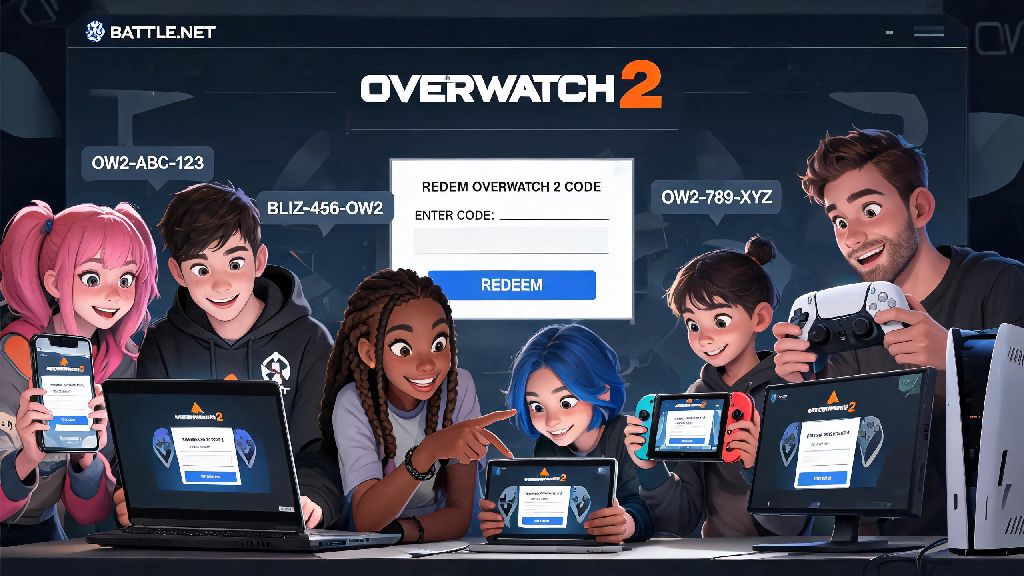
If you’ve ever gotten a random Overwatch 2 code from a Twitch drop, official community event, or retail promotion, you’ve probably scrambled to figure out where to redeem Overwatch 2 codes before it expires. I’ve had multiple friends let legendary skin codes go to waste because they spent 20 minutes digging through in-game menus with no luck, or accidentally tried to redeem on a scam site that stole their login info. This guide breaks down every valid, official redemption method, plus fixes for common errors so you never miss out on free loot again.
Where to Redeem Overwatch 2 Codes: Official Valid Methods
Blizzard only supports two official redemption routes for Overwatch 2 codes, and both are completely free to use. Only use official Blizzard channels for code redemption to avoid phishing scams that target players looking for free skins and currency. The first method is the Battle.net web portal, which works for all account types across every platform. All you need to do is log into your linked Battle.net account, navigate to the code redemption page, enter your code exactly as written, select your Overwatch 2 profile, and confirm your redemption.
The second method is in-game redemption, which is available for PC, PlayStation, and Xbox players. Just load up Overwatch 2, head to the in-game shop from the main menu, scroll to the very bottom of the shop page, and select the “Redeem Code” button. Enter your code, confirm, and your reward will be added to your account immediately in most cases. Before you try either method, make sure you have these three things ready:
Codes are tied to the region of your account, so if you received a code from a European event or promotion, it won’t work on a North American or Asian account. If you’re not sure what region your account is set to, you can check on your Battle.net account settings page before trying to redeem. If you’re running into repeated errors no matter where to redeem Overwatch 2 codes, double check that your account region matches the code’s region first.
Platform-Specific Redemption Tips for Console and PC
The redemption process varies a little depending on what platform you play Overwatch 2 on, so these tips will save you a lot of unnecessary frustration. For PC players, both the web portal and in-game redemption methods work equally well, but the web method is usually faster if you already have your browser open in the background. You won’t need to boot up the game at all to claim your reward, which is perfect if you got a code while you’re at work or out of the house.
PlayStation and Xbox players have a third option for redemption: you can enter the code directly through your console’s store if you don’t want to use the Blizzard portal. If you redeem a code on the PlayStation or Xbox store, the reward will automatically sync to your Overwatch 2 account within 24 hours, no extra steps needed. Just make sure your console account is properly linked to your Battle.net account first, or the reward won’t transfer over. If you play on multiple platforms, like PC and PlayStation, you only need to redeem the code once, and the reward will be available on all platforms linked to your Battle.net account, as long as the reward is supported on that platform. For example, a console-exclusive skin will only show up on your console account, but universal skins will be available everywhere you play.
Nintendo Switch players don’t have access to in-game code redemption, and the Nintendo eShop doesn’t support Overwatch 2 specific codes, so any code you get will only work through the Battle.net site. I learned this the hard way when I tried to redeem a Twitch drop code on my Switch eShop for 10 minutes before realizing it wasn’t supported, so save yourself the time and just use the web portal.
Common Redemption Errors and How to Fix Them
Even if you use the right redemption method, you might run into a few common errors that stop you from claiming your reward. The most common error is the “invalid code” notification, which can pop up for a few different reasons. Most of the time, it’s just a typo, so double check that you entered every character correctly with no extra spaces. If the code is still coming up invalid, check the expiration date first. Always check the expiration date of your code first, most event codes expire within 30 to 90 days of being issued, so you might have missed the window to claim it.
Another common reason for invalid codes is that the code is for a different game, so double check that the code you’re trying to redeem is explicitly for Overwatch 2, not for the original Overwatch or another Blizzard game like World of Warcraft or Diablo IV. If you get a “reward already claimed” error, that means either you already used that code on your account, or someone else redeemed it before you. This happens a lot with public giveaway codes that are posted on social media, so if you get a code from a public source, you’ll want to redeem it as fast as possible.
If you get a “reward not showing up” error after a successful redemption, first try restarting your game to force the account to sync. If it still doesn’t show up after 24 hours, reach out to Blizzard support with your redemption confirmation number, which you’ll get via email after you redeem a code through the web portal. You should always save that confirmation email or take a screenshot of the confirmation screen right after you redeem a code, it makes support requests way faster and easier to resolve. Most support tickets for missing rewards are resolved within 48 hours if you have proof of redemption.
How to Find Legitimate Overwatch 2 Codes to Redeem
Now that you know how to redeem codes, you’re probably wondering where to find legitimate ones that actually work. All valid Overwatch 2 codes come directly from Blizzard or its official partners, so you’ll never have to pay for a code unless it’s part of an official physical promotion like a retail bundle. The most common sources for free codes are Twitch drops during Overwatch League events or official partner streams, Blizzard’s official social media giveaways, and Amazon Prime Gaming monthly rewards for Prime members. Most legitimate codes are sent directly to your email if you participate in official events, so you won’t have to hunt around for where to redeem Overwatch 2 codes if you get them directly from Blizzard.
You can also get codes from official community events like the annual Overwatch 2 anniversary challenges, or retail promotions with brands like energy drink companies that partner with Blizzard for limited time rewards. These codes are usually printed on the inside of product packaging, and you can redeem them the same way you would any other Overwatch 2 code. Never use third-party “free code generator” sites, they are almost always phishing scams that will steal your account credentials, or make you complete endless surveys with no actual code at the end. I’ve seen dozens of players lose their accounts with hundreds of dollars worth of skins to these scam sites, so it’s never worth the risk.
If you’re not sure if a code source is legitimate, check Blizzard’s official website or social media accounts to confirm the promotion is real. If there’s no mention of the promotion on official channels, it’s almost certainly a scam, so avoid it entirely. You can also ask in official Overwatch 2 community Discord servers to confirm if a promotion is real, as moderators will usually pin announcements for valid giveaways.
Now that you know exactly where to redeem Overwatch 2 codes, you won’t have to stress about missing out on free skins, battle pass tiers, voice lines, or currency ever again. Just stick to official Blizzard channels, double check your code for typos and expiration dates before redeeming, and save your confirmation receipt in case you run into issues with missing rewards. Next time you get a code in your email or from a Twitch drop, you’ll be able to claim your reward in less than a minute, no endless menu digging required.